Showing posts with label Software. Show all posts

Tuesday, January 26, 2010

Perfect Alternative Of Windows Desktop

Windows is most popular OS in world but there are many substitute of it. Today i show you how to replace Windows Desktop with Open Source Linux distributions,  here I provide complete list of software which make Linux as powerful as Windows and make your life easier. This replacement is based on Ubuntu.


See the list below of Open Source softwares that are available for Linux which are substitute of Windows software many of them are installed automatically when you install Ubuntu.These are must have applications for any Desktop to make it complete.

Office:

  • Office Word processor  = = Microsoft Word
  • Office Spreadsheet = = Microsoft Excel
  • Office Presentation = = Microsoft Powerpoint
  • Text editor 
  • Adobe Reader & Document viewer  to view pdf. 
  • Scribus Open source DTP application
  • Dictionary
Internet:

  • Firefox browser
  • Chrome browser
  • Opera browser
  • Transmission BitTorrent Client
  • Pidgin Internet Messenger (Multi platform)
  • Evolution mail client = = Outlook
  • Thunderbird e-mail client
  • Ekiga Softphone
  • Skype
  • FileZilla FTP client
  • Google Earth
  • Remote Desktop viewer
  • Terminal server client
  • Many Download managers
Graphics:

  • GIMP Image editor = = Adobe Photoshop
  • F-Spot Image manager
  • Open Office Draw
  • XSane Image scanning
  • Google Picasa
Multimedia:

  • Rhythmbox music player
  • VLC media player
  • Movie player
  • Sound recorder 
  • Hulu Desktop
  • Helix player = = Real player
  • Totem Media player
Miscellaneous:

  • CD/DVD Creator
  • Brasero Disc burner
  • Nero
  • Virtualbox to run another OS under Linux Desktop.
  • Wine to run Windows file in Linux- supports many popular Windows games.
  • Open Office Database
  • XAMPP Server
  • Bluefish editor for many programming languages.
  • Educational games and softwares.
  • Bluetooth Analyzer
All softwares except Nero are Open Source therefore you don't need to purchase it and don't need to waste your hard earned money in softwares.Linux provides all this things without fear of any kind of  Virus or security vulnerability  so say Hi to Linux and Bye to Windows.


Wednesday, January 20, 2010

Download Snagit 9.1.3 Fully Portable for Free

Snagit is must have tool for all bloggers. It is use for image editing, take a screenshot, video recording, watermark etc. Here i provide fully portable Snagit_9.1.3 for download.


Features :

  • Screenshot of specific region
  • Record screen video
  • Image editing
  • Menu screen capture with time delay
  • Text screen capture
  • Make Watermark
  • Pre-capture effects


Here is a link for Snagit portable which is fully portable and you can use it anywhere in any computer easily and it is totally free. You do not need any kind of serial or registration.

Tuesday, January 12, 2010

Serials & Crack For Kaspersky2010

In previous post i wrote about most necessary free software install with one click i mentioned about all most necessary free software it also has Anti-virus and security part but there is no one of the most popular Kasperskyin that.


Therefore i came up with this post which has crack and serial keys for Kaspersky Anti-virus2010 and Kaspersky Internet Security2010.

Here we have one link to download Kaspersky2010 and other for its serial keys, this serial key let you activate your copy of Anti-virus or Internet Security, instructions for activation are included in the folder.

Because it do not have any type of exe file there is no risk of malware or virus.

Link for Kaspersky: Download Anti-virus or Internet Security

Link for Serial Key: Download Serial Keys here

Enjoy

Friday, January 8, 2010

Install All Most Necessary Software With Just One Click

When we format our computer  we have to install our all necessary and must applications which is very time consuming and boring process because we have to install each application one after another and make many clicks for that.

But here is a solution called Ninite, Ninite is a tool which is used to install our favourite application with just on click and totally unattended.Applications included in Ninite are shown in pics.


These are the most wanted and must applications for computer just make check in the checkbox for your favourite application that you want to install in your computer after that click on the button Get Installer and you will get the combine installer for your selected applications.

Just download the installer and all your selected applications will automatically download and also install totally unattended without any user interruption.

Here is the link click on Ninite

Thursday, November 19, 2009

Microsoft Office Mobile 2010 Launched

In my last post we discuss about  Download Microsoft Office 2010 beta after Office for computer Microsoft announced to launch Microsoft Office Mobile 2010.


The Mobile Office 2010 is available for recently released Windows Mobile 6.5, according to Microsoft the mobile office suite give you all facilities of view,edit and create office document, presentations, spreadsheets and also connect with Sharepoint workspace mobile account. You can download it from Windows marketplace.

This suite is only work on touchscreen mobile but all the Windows mobiles are touch screen models therefore no space for problem.

Give your suggestions and response on this post by comment and subscribe to my feeds if you like my work.

Microsoft Office 2010 Beta Available For Download


Microsoft released MSDN before after that they launched Microsoft Office 2010 beat for public download. The new Office 2010 beta has same interface and available in 32 bit and 64 bit versions.

This new version of office 2010 beta suite has new icon set and add new feature Communicator 2007 R2 integrated in Outlook 2010.Communicator will allow user to sync Windows Live and social network site and feeds and also Linkedln will be add in Outlook in next year.

To download Office 2010 beta click on the download here link i provided below which will redirect you to the next step, after that you should enter your Windows Live ID after logging in it will take you to download page.If you do not have Windows Live ID you can get one by clicking here.After complete that they will provide you MAK key save that make key in sake location in your hard drive and you done it just click on download and your download will be start in seconds.


If you like it comment on this or subscribe to my feeds to get more. 

Saturday, November 14, 2009

Get Free CD Of Ubuntu9.10 & OpenSolaris10

Now a days user of one of the most popular Linux based operating system Ubuntu are increasing and Solaris of Sun Microsystems also in queue  therefore Ubuntu and Sun Microsystems decided to give free cd of thier operating system to increase the no of user.

First Ubuntu launch this offer to give free cd, they send this free cd to your doorstep without any cost its totally free you do not have to pay any kind of travelling fare.You can request Desktop Edition and Server edition.Following is the screenshot of Ubuntu desktop.


If you want to get this cd you you just register to their site and feel out the request form for your cd and you done now they will send you your cd and notified you via email , you can also download latest version of Ubuntu online.

You can reequest free cd of  Ubuntu9.10 by clicking here

Sun Microsystems also send free cd to you doorstep without any cost for that you just fill out an online form and after that login with you account and you finish now they send you free cd under they free Media Kit program totally free.Following is the screenshot of the Solaris10 Desktop.


You can request free cd of Sun Solaris10 bu clicking here

Please give your suggestions or ask for queries to make the blog better, Thanks for visit. And if you like mu work please subscribe to my feeds 

Thursday, November 12, 2009

A to Z About Flock - The Social Web Browser For Social Communication


We love to use different sites for social bookmarking and sharing things with friends and if we want to make it whole at one place we use different applications or plugins for social communication, but this all are not easy to use and time consumptive things therefore here is a solution for it called Flock.


Flock is a social web browser which is powered by Mozilla and made for better browsing facilities and social networking. flock is my favorite and i strongly believe that it can be yours also just try it. some useful features of flock are...

  • Flock is totally open source software and compatible with Windows, Linux and Mac.
  • Flock automatically connects you with over 20 of your favorite online services like,


  • Flock has one special  social toolbar by using it you can access its different facilities


  • By clicking on the face icon on toolbar you get people sidebar by sing it you can login to your favorite social bookmarking site and the best feature of it you can directly share image or anything to your friend by simple drag and drop.
  • Media bar helps you to find photo and video from your favorite site directly. Using video bar you can find photo or video in several site with just one click.
  • Photo uploader makes photo uploading as easy as 123 now forget the irritating process of photo uploading. You just login to your favorite photo sharing service using flock toolbar and drag and drop the photo to upload  icon and it will upload to your account.


  • Easy blogging compose blog posts while you are online or offline with Flock's blog editor then publish to your favorite blogging platform when your post is ready. you just login to your blog site and open the blog editor using toolbar and write your post and save, edit or modify. 


  • Web mail feature notified you when you have new mail waiting for you in your favorite webmail account
  • Web clipboard by using this tool you can directly drag & drop links,text and images to clipboard and save them for use later.


  • Custom Themes & Extension make Flock your own with custom themes and extensions. And you shoud also use Firefox extensions in it which makes Flock unbeatable.


Since it has lots of more features it is one of my favorite browser.If you like my work or any kind of suggestion or query please comment on this i am nothing without your support.

Tuesday, October 13, 2009

Some Useful Free Security Tools From Avira

As according to CNET Avira is the best in the available free anti-virus but they also provide some free security tools for protect your computer from virus,spy-ware,malware etc.Some tools also provide facility tp protect your data on your pc.Details of the tools and their features are as follows.


  • Avira Antivir removal tools
                 If you do not want to use Avira Antivirus directly you should try this tool.You do not have to install it in your computer just unpack it and use it, as it is not installed in your computer it will not affect performance of you another antivirus program.You can remove following type of viruses with tool version

  1. Worm/Sober.J
  2. Worm/Sober.P
  3. Worm/Sober.Y
  4. W32/Stanit.A
  5. Worm/NetSky.AA
  6. Worm/NetSky.B.1
  7. Worm/NetSky.C
  8. Worm/Netsky.D.Dam
  9. Worm/NetSky.P
  10. Worm/NetSky.X
  11. Worm/Mytob.IN.2 
for more use the free antivirus program..

  •  Anti Rootkit tool
                 Rootkits are legally used in some program this tool is used to remove the rootkit from your computer.

  • Boot sector repair tool
               Some harmful viruses are directly affect your bootsector of your computers under DOS but this tool is useful for remove this kind of viruses.

  • NTFS4DOS Personal
               This tool enables you to access NTFS drives DOS based operating system also provide data backup and make bootable disk of complete system.

Download Google Chrome OS Beta 0.4.220

Before some time google announced to launch its new Linux based free Chrome OS ut now this is time to experience the Chrome OS because they release a beta version of the os for download.The official Google Chrome OS wiil not available for netbooks until 2010.


Chrome OS was built using SUSE Studio-Open SUSE Linux distribution.Chrome contents some web applications like Google calender,Gmail, latest Chrome browser  with built-in Flash plug-in and other applications.You can also download its iso image.


Featured Software in Chrome OS
  1. GNOME Desktop 2.24 environment
  2. Google Chrome 4.0.220 web browser
  3. Openoffice 3.0 official suite
  4. GIMP 2.6 image editor
  5. Flash player 10.0 Plug-in
System Requirements
  1. Processor: Intel Pentium, Xeon or newer,AMD Athlon, Duron,Sempron, Opteron or newer
  2. RAM: 256 MB
  3. Harddisk: 1 GB
  4. Supports most modern graphic cards

Sunday, October 11, 2009

Free Photoshop For iPhone

All devices which have camera also have a good photo editing facilities in it but it is iphone's drawback because it don't have any kind of photo editing application.But now Adobe solve this problem for us, because they offering Photoshop for  iphone for free.


Once you start the application it will provide you two option to select photo from its online library or take new with your camera. It works in conjunction with Photoshop.com account which is free for you and allows you to sync 2GB photos with site, iPhone users can access their entire online photo library from their phone.

Some basic features are:
  • cropping, rotating and flipping.
  • Alter color exposure.
  • Saturation tin,white,black.
  • Filters for sketching and soft focus.
  • Vignetting and glow

Thursday, October 1, 2009

SpeedyFox make the fox fast

We all know that Mozilla Firefox is best and one of the featured rich browser and fastest browser but after some time space the process of start up of the Firefox become very time consuming and overall time wasting. It occurs because of the fragmentation of the database.


But SpeedyFox small utility corrects this problem with one touch. It will optimize your browser and the database and the results you get will amazing it make your browser startup 3 times faster and also history browsing and deal with cookies become much faster.

SpeedyFox is 100% safe and reliable for use it is tested in many systems.

Friday, September 25, 2009

Picasa 3.5 With Name Tags

Google releases  its new version of its photo editing software called Picasa. Picasa is mind blowing software for photo editing and also for view photo in your computer as image viewer. While you are watching pics through picasa its give you the experience of live showing. This new version of  Picasa is one step ahead from the older one it gives you the ability to add name tags to your photos, using the same facial recognition technology.


It will help you in such a way Picasa identifies similar faces and puts these into an "Unnamed People" album. From there, you can easily add a name tag by clicking "Add a name" and typing the person's name. After you've added name tags to some photos, you can use your tags to do creative things, like quickly find all the photos with the same two people in them, make a face collage with just one click or upload and share people albums with friends.

In addition to name tags, Picasa 3.5 has integrated Google Maps, so you can easily geotag your photos or view the locations of already-tagged photos on a map. And using our totally redesigned import process, you can now import photos from your camera and upload the photos to Picasa Web Albums in one easy step.


Tuesday, September 22, 2009

Microsoft want to release free antivirus soon

Microsoft plans to release the final version of its free antivirus software soon, according to a note sent to testers late Sunday.


Microsoft first announced its plan for product, then code-named Morro, last November, at the same time the company said it was scrapping its paid Windows Live OneCare product. 
Public beta testing of Security Essentials started in June, with Microsoft reaching its goalof 75,000 testers just one day after it issued a call for them.
On a personal note, I've been using the product on several machines since June, and I like the way--unlike other antivirus programs--it doesn't make a spectacle of itself, just quietly doing its thing. I often forget it is running on a machine, yet it did save my bacon a couple weeks back when I almost caught koobface from a friend on Facebook.
Source: Cnet news


Saturday, September 19, 2009

Opera Mini 5 beta

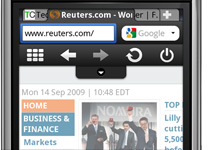
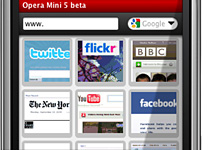
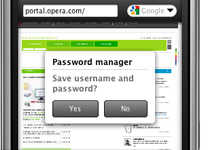
Opera has released a beta version of its latest mobile-phone web browser, Opera Mini 5.Opera Mini is the most lightweight of the company's browsers, and is available as a free download. Opera Mobile is a more full-featured version that is available as a paid-for browser, but is often sold by the company to handset manufacturers for pre-installation.some new features are available in this new version which are-

Tabbed browsing

Browse several Web sites at the same time. Jump easily from one to another


Speed Dial

Your favorite sites are just one click away.


Touch & Keypad

The interface optimizes the display for both touchscreen and keypad phones.


Password manager

Log on to your e-mail, social network and other sites with just one click.


DOWNLOAD


Wednesday, September 16, 2009

Google's Fresh Chrome 3.0

After several debugging & filtering Google launched Chrome 3.0as the browser's engineering director set ambitious goals to double its market share within 12 months.Chrome 3.0, which is available only for Windows, moved from beta meaning that the browser is suitable for use by all.According to Google, Chrome 3.0 is 25% faster in rendering JavaScript than Chrome 2, which debuted in May, and 150% faster than the original Chrome.Other new improvements are cleaner New Tabs page that resembles those found in Apple's Safari and Opera Software's Opera, and additional support for HTML 5, particularly the video tag.Google also patched a securuty vulnerabilitiese before shoving Chrome out the door. Google ranked one of the flaws as a "medium" threat, the other as "high," and said both could be used by hackers to attack unwary visitors to malicious or already-compromised Web sites using rigged JavaScript or a formed SVG image file.

Monday, September 14, 2009

Download Video with Latest Ashampoo ClipFinder HD


Last time I post the article which has info about how to download video online but now its time to search & download it with The brand-new Ashampoo ClipFinder HD gives you web video the way it should be. Search in up to fifteen video portals at once or in selected portals, view videos directly and convert and save them to your hard disk with a single click.

Friday, September 4, 2009

BHUVAN - Indian Earth Observation Visualization

Bhuvan gives you an easy way to experience, explore and visualize IRS images over Indian region developed by ISRO(Indian Space Research Organization) with a very important role played by National Remote Sensing Agency.
Bhuvan hopes to offer superior imagery of Indian locations specifically with spatial resolutions ranging from 10 m to 100 m. But this kind of detail isn't readily available yet. If it were, Bhuvan would then be better than the free version of Google Earth, which can display up to 200m.


Fastest Opera 10 relaeased

Opera has finally released the final version of its web browser, the Opera 10.